QR code error correction and size: L, M, Q and H tested
Higher error correction lets a QR code survive damage, but it also makes the code denser. We generated codes for four common kinds of content at every level and covered them bit by bit until they stopped scanning.
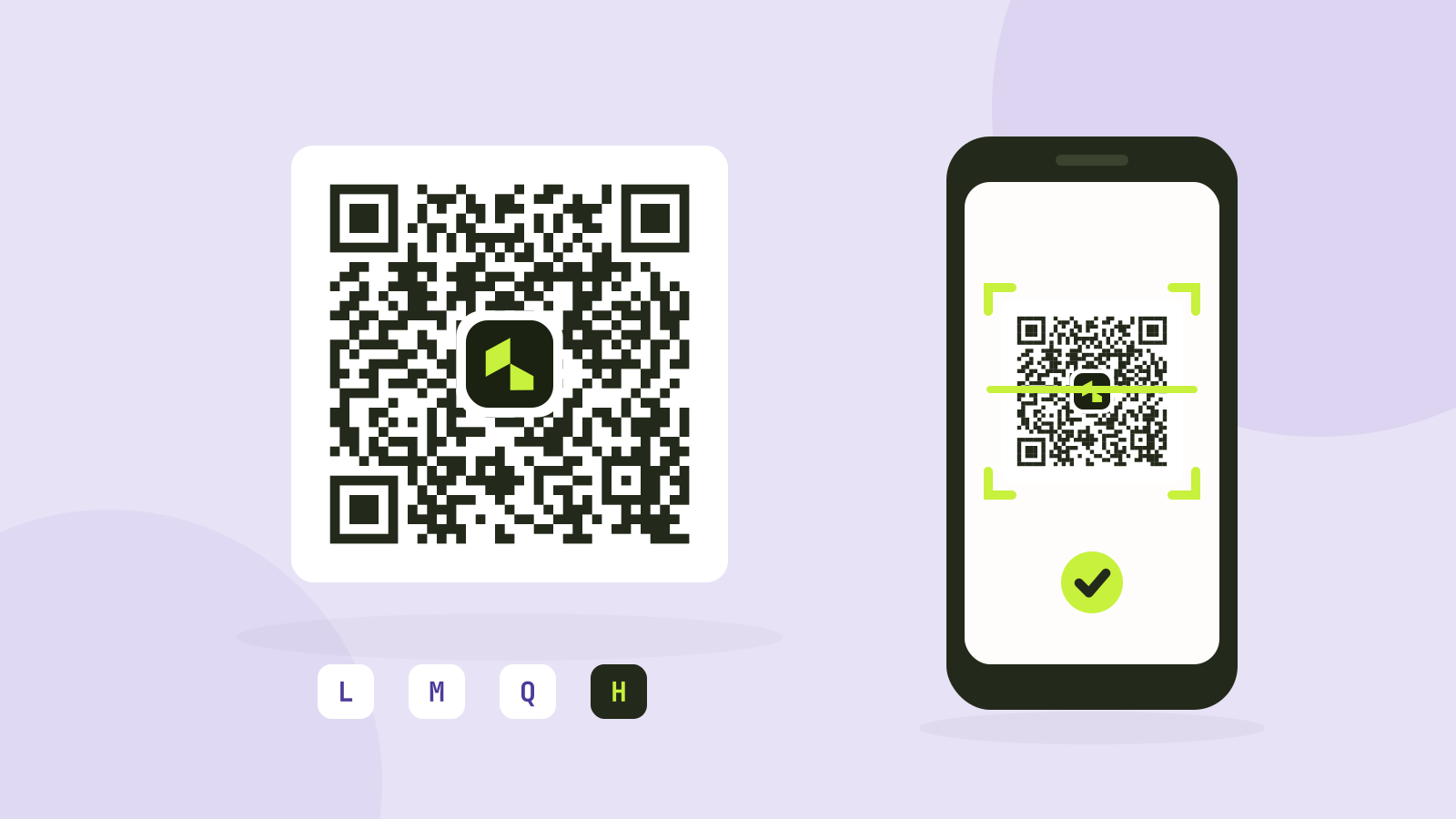
Every QR code generator asks for an error correction level: L, M, Q or H. The usual explanation is that higher levels let a code survive more damage. That is true, but it comes at a cost that is rarely mentioned, and the real tolerance is lower than the numbers usually quoted. We generated codes for four common kinds of content at every level and covered them bit by bit until our reader could no longer read them.
What error correction does
A QR code stores its content as a series of bytes, called codewords, and adds extra codewords calculated from them with Reed-Solomon coding, the same technique used on CDs. If some codewords are damaged, the extra ones allow the reader to rebuild them. The four levels set how much of the code is spent on this:
| Level | Codewords that can be restored | Usual advice |
|---|---|---|
| L (low) | About 7% | Clean screens and documents |
| M (medium) | About 15% | The common default |
| Q (quartile) | About 25% | Print, outdoor use, logos |
| H (high) | About 30% | Harsh conditions, large logos |
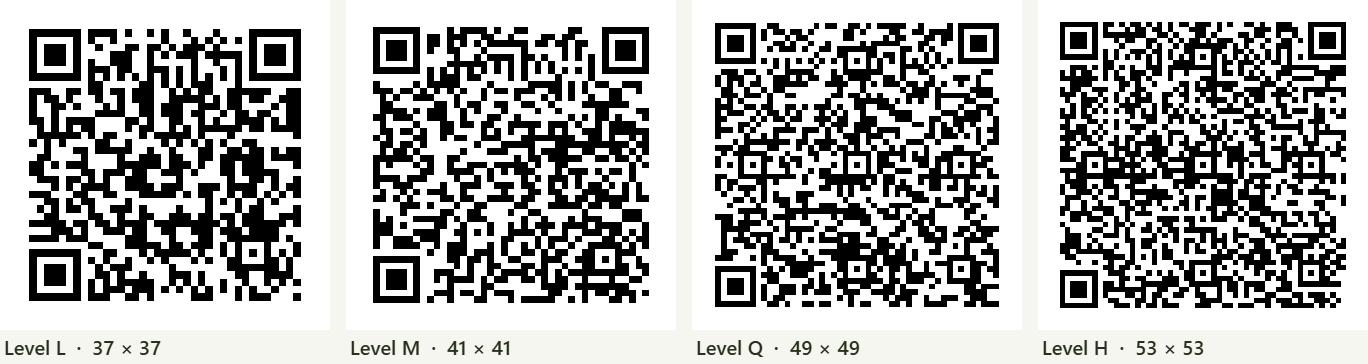
The extra codewords take space that would otherwise hold content. For the same content, a higher level needs a bigger grid of squares (called modules).
How much bigger the code gets
| Content | Characters | L | M | Q | H |
|---|---|---|---|---|---|
| Short link | 19 | 25 × 25 | 25 × 25 | 25 × 25 | 29 × 29 |
| Wi-Fi login | 61 | 33 × 33 | 33 × 33 | 41 × 41 | 45 × 45 |
| Link with tracking codes | 89 | 37 × 37 | 41 × 41 | 49 × 49 | 53 × 53 |
| Contact card | 202 | 53 × 53 | 57 × 57 | 65 × 65 | 77 × 77 |
A short link fits in the smallest grid at three levels out of four, because that grid has spare room. Longer content grows quickly: the contact card at level H needs 77 × 77 modules, almost ten times the area of the short link.
This matters because what a camera has to see is the module, not the code. On a code printed 2.5 cm wide, the short link has modules of 1 mm, and the contact card at level H has modules of 0.3 mm, about the size of a grain of salt. Small modules are what make codes fail on low quality prints, at a distance and in poor light.
How much damage a code survives
To test the levels, we covered the centre of each code with a white square, the way a logo is usually placed, and increased its size one percent of the code's area at a time until the reader of our QR code scanner failed.
| Content | L | M | Q | H |
|---|---|---|---|---|
| Short link | 5% | 6% | 9% | 16% |
| Wi-Fi login | 5% | 8% | 14% | 19% |
| Link with tracking codes | 7% | 11% | 20% | 20% |
| Contact card | 8% | 12% | 19% | 15% |
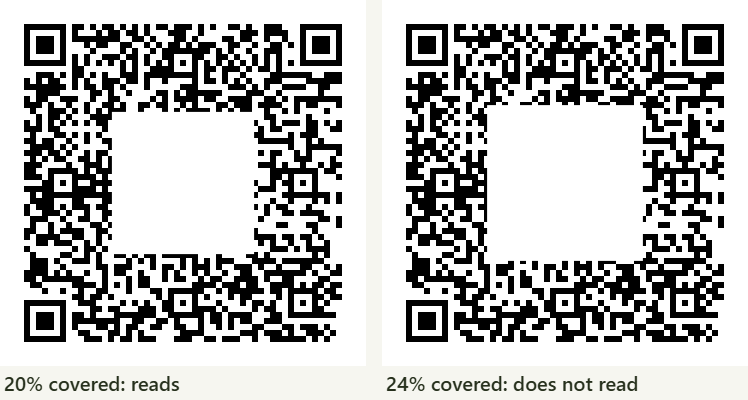
Two things stand out. First, the real tolerance was lower than the standard's figures, often by a third or more. A square of covered area cuts through codewords at its edges, damaging more of them than its size suggests, and it can hide alignment marks the reader uses to find the grid. Second, higher levels did not always win: on the contact card, H failed sooner than Q. Larger codes have more alignment marks for a centred square to hit, and every reader handles damage a little differently.
The practical lesson is to leave a margin. If you need a code to survive damage, do not plan to use all of its error correction.
Logos in QR codes
A logo works by deliberately damaging the code and relying on error correction to fix it. Our QR code generator raises the level to Q when you add a logo, if it was set lower, and limits the area the logo hides to a share of what that level can restore. We checked every combination of our four kinds of content, levels M, Q and H, and logo sizes from 24 to 40 percent, the largest the generator offers: all of them scanned.
How to make a QR code that always scans
- Keep the content short. Use a short link instead of a long one with tracking codes. It is the biggest gain of all, because fewer modules means larger ones.
- Use M for screens and clean prints, Q for posters, packaging and anything with a logo. Use H only when the content is short, so the grid stays small.
- Print it large enough. A common rule of thumb is a code width of at least a tenth of the scanning distance: 3 cm for a table card read from 30 cm, 30 cm for a poster read from 3 metres.
- Keep strong contrast and a margin. Dark squares on a light background, and a clear border at least four modules wide. Light codes on dark backgrounds are not read by every app.
- Test before printing, with an old phone as well as a new one, from the real distance.
Codes made with our generator are static: the content is in the code itself, so it works forever and does not depend on any service. Some QR services make "dynamic" codes that point to their own server and redirect from there, which lets you change the destination later but stops working if the service or your subscription ends.
Questions and answers
Which QR code error correction level should I use?
M for screens and clean prints, Q for print, outdoor use and codes with a logo. H makes the code much denser, so use it only for short content.
How much of a QR code can be covered?
Less than the standard's 7, 15, 25 and 30 percent suggest. In our test a centred square could cover 5 to 8 percent at L, 6 to 12 percent at M, 9 to 20 percent at Q and 15 to 20 percent at H.
Does a logo make a QR code harder to scan?
It uses up some of the error correction. With error correction at Q and a logo kept to a modest size, all our test codes scanned.
What is the minimum size for a printed QR code?
A common rule of thumb is a width of a tenth of the scanning distance, about 2 to 3 cm for something read at arm's length. Short content allows smaller codes.
Tools in this article
More from the blog
ZIP, 7z or RAR: which archive format is best?
We packed the same folders of photos, videos, documents and data into ZIP, 7z and RAR archives and measured size and speed. The winner depends almost entirely on what is inside.
CSV, Excel or JSON: which format for your data?
We saved the same 100,000 row table as CSV, as an Excel workbook and as JSON, then compared the sizes, how fast each one reads in code, and what goes wrong with dates, leading zeros and long numbers.
Unix timestamps explained
A Unix timestamp is just a count of seconds, yet it causes a steady stream of bugs. What it counts, how to tell seconds from milliseconds at a glance, what happens with time zones and leap seconds, and why 2038 matters.