How it works
- Drop a PNG, JPG or WebP image.
- Pick a preset and adjust colors and detail.
- Preview the vector and download the SVG.
Why use it
- Color tracing with a chosen number of colors.
- A black and white mode with an adjustable threshold.
- Optional transparent background.
- Tracing runs in a background worker.
Tracing a PNG into an SVG: what works and what does not
What tracing does
A PNG is a grid of pixels; an SVG is a set of shapes. Tracing finds the areas of the same colour in the picture and draws a smooth outline around each one, so the result can be scaled to any size without turning blocky. It is how you rebuild a logo when all you have is a picture of it, or turn a scanned signature or stamp into clean lines.
The tracer first reduces the picture to a handful of colours, then outlines each area with straight lines and curves. That means the result is always a simplified version of the original: flat colours stay exact, while gradients, shadows and textures turn into bands.
Results by kind of picture
We traced three pictures with the presets meant for them:
| Picture | Shapes | SVG size | Verdict |
|---|---|---|---|
| Logo, 512 px | 6 | 1.5 KB | Looks like the original |
| Detailed seal, 1024 px | 943 | 401 KB | Works, but fine lines lose detail |
| Photo of an owl, 1000 px | 7,039 | 1.8 MB | A poster effect, 14 times the JPG |
Tracing is excellent for flat logos, icons, line art and lettering, usable for illustrations, and wrong for photos, which become large files with a painted look. Our article on SVG vs PNG shows the owl side by side.
Choosing the preset and settings
- Logo or icon keeps 8 colours with clean edges. Start here for most logos.
- Black and white suits signatures, stamps, sketches and line art. Its Threshold decides which pixels count as ink: higher turns more of the picture black.
- Illustration keeps 24 colours and finer detail, for drawings with several shades.
- Photo keeps 32 colours and smooths the picture first, for a deliberate posterised look.
Colours sets how many colours the picture is reduced to; fewer gives simpler, smaller files. Detail controls how small a speck can be before it is dropped; low detail keeps shapes bold and removes noise from scans. Smoother curves blurs the input slightly before tracing, which helps with jagged edges in small or compressed pictures. Transparent background removes the white shape that would otherwise sit behind the artwork.
Getting a clean trace
- Start from the largest, cleanest picture you have. JPG artefacts around edges become extra shapes.
- Crop to the logo first with crop image, so the tracer does not spend shapes on empty space.
- Count the colours in the original and set exactly that many, plus one for the background.
- Minify the result with the SVG minifier before putting it on a website.
Very large pictures are scaled down before tracing, to about 1,000 to 1,800 pixels depending on the preset. That is enough for a vector result, since the shapes can be drawn at any size afterwards.
If something goes wrong
- The edges look wobbly. Raise the detail, or switch on Smoother curves for small pictures.
- Tiny specks everywhere. Lower the detail, or clean the scan first.
- Colours are slightly off. The tracer averages each area. Set the exact colours in a vector editor afterwards; with few shapes, that takes a minute.
- The SVG is huge. The picture has too much detail for tracing, as photos do. Keep it as a JPG, WebP or PNG.
How we tested. Three pictures: the Tooloat logo at 512 pixels, the Great Seal of the United States at 1024 pixels and a CC0 photo of an owl at 1000 pixels, traced with the matching preset of this tool in Chrome.
Popular ways to use this tool
Questions and answers
What images trace best?
Logos, icons, line art and flat illustrations with few colors. Photographs produce a posterized look rather than a faithful copy.
Can I edit the SVG afterwards?
Yes. The output is standard SVG paths that open in Illustrator, Inkscape, Figma and similar tools.
Is my image uploaded?
No. Tracing happens in your browser.
Related guides
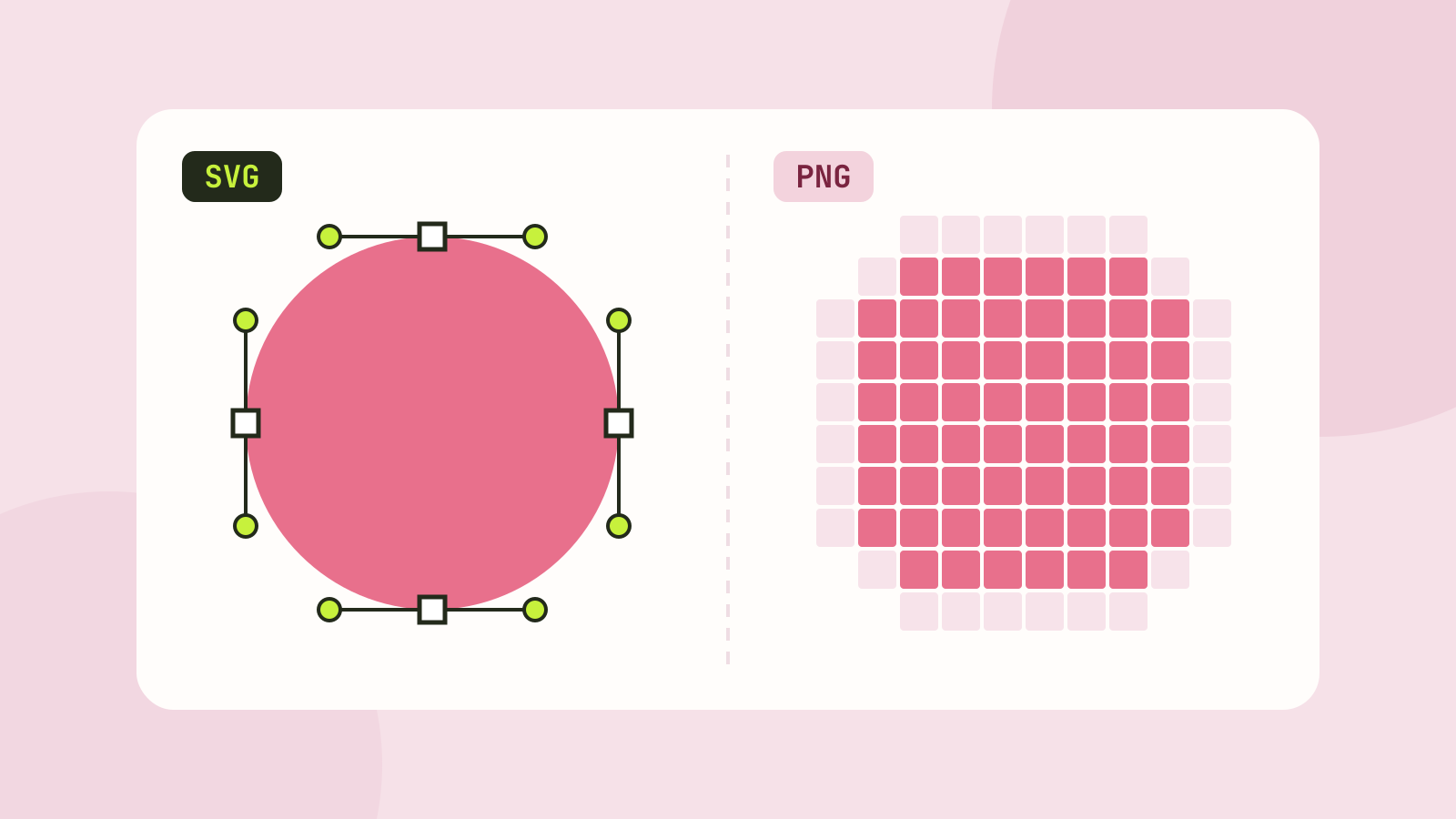
SVG vs PNG: which to use for logos, icons and illustrations
SVG stores shapes and PNG stores pixels, and that decides which one fits a job. We measured five SVGs of very different complexity against PNG copies at four sizes, and traced a logo, a seal and a photo back to SVG.