How it works
- Drop your SVG files.
- Choose the output size and background.
- Download the PNG, JPG or WebP files.
Why use it
- Sizes from 512 px to 8192 px.
- Transparent, white, black or custom backgrounds.
- Scale by longest side or by multiplier.
- External fonts and linked images are not fetched, which keeps the file private.
SVG to PNG: choosing the size, background and format
Why convert at all
An SVG is a list of shapes that stays sharp at any size, which is why logos and icons are made in it. But many places only take pictures made of pixels: email, office documents, social networks, upload forms, some print services. Converting draws the shapes once, at the size you choose, and saves the result as a normal picture.
Choosing the size
Unlike a photo, an SVG has no fixed pixel size, so you decide how big the picture is. There are three ways:
- Preset: the longest side at 512, 1024, 2048 (the default), 3840, 7680 or 8192 pixels.
- Scale: 1 to 8 times the size written in the SVG itself, handy when the SVG was drawn at the size it is meant to be shown.
- Custom: any longest side from 16 to 8192 pixels. The other side follows the SVG's proportions.
For a screen, render at twice the size it will be shown, so it stays sharp on high resolution displays: a logo shown 200 pixels wide needs 400. For print, multiply the printed width in inches by 300. Larger is never sharper than the shapes allow, only bigger.
Background and format
PNG and WebP keep the transparent areas of the SVG, so a logo can sit on any colour. JPG cannot be transparent, so the background is filled with white unless you choose another colour; pick the colour of the place the picture will go. A filled background also helps on platforms that show transparency as black.
| SVG file | SVG size | PNG at 256 px | PNG at 1024 px |
|---|---|---|---|
| Camera icon | 403 B | 7.3 KB | 52.2 KB |
| Flag of Brazil | 4.1 KB | 9.7 KB | 60.5 KB |
| Great Seal of the United States | 334.5 KB | 83.7 KB | 668.2 KB |
| World map | 1.05 MB | 16.8 KB | 132.0 KB |
Simple icons are tiny as SVG and grow a hundred times as PNG, so keep the SVG wherever it is accepted. Very detailed drawings such as maps can be smaller as PNG. The PNGs come straight from the browser's encoder; to make them smaller without changing a pixel, use compress image with the Lossless goal. Our comparison of SVG vs PNG has the details.
Fonts and linked pictures
The SVG is drawn by your browser's own engine, the way a web page would draw it inside an image. For privacy and security that mode loads nothing from outside the file: fonts and pictures that the SVG links to on the web are skipped. Text set in a font that is not installed on your computer falls back to a default font. To keep the exact lettering, convert text to outlines (or paths) in your design program before exporting the SVG, and embed pictures rather than linking them.
If something goes wrong
- The text looks different. The font was linked or is not installed. Convert the text to outlines in the design program.
- Part of the picture is missing. It was a linked picture or a feature the browser does not draw. Embed the picture in the SVG.
- It says the size is too large. Browsers cap the size of a picture. Choose a smaller size; 8192 pixels is the limit here.
- The edges look jagged in JPG. JPG is meant for photos. Use PNG for logos and line art.
How we tested. Four SVG files, the Lucide camera icon and three public domain files from Wikimedia Commons, drawn by Chrome at each size and saved with its PNG encoder, as this tool does.
Popular ways to use this tool
Questions and answers
How large can the PNG be?
Up to 8192 pixels on the long side, limited by your device memory.
Will text render correctly?
Text uses the fonts installed on your device. For exact results, convert text to outlines in your vector editor first.
Is transparency kept?
Yes, PNG and WebP keep it. JPG cannot, so a background color is used.
Related guides
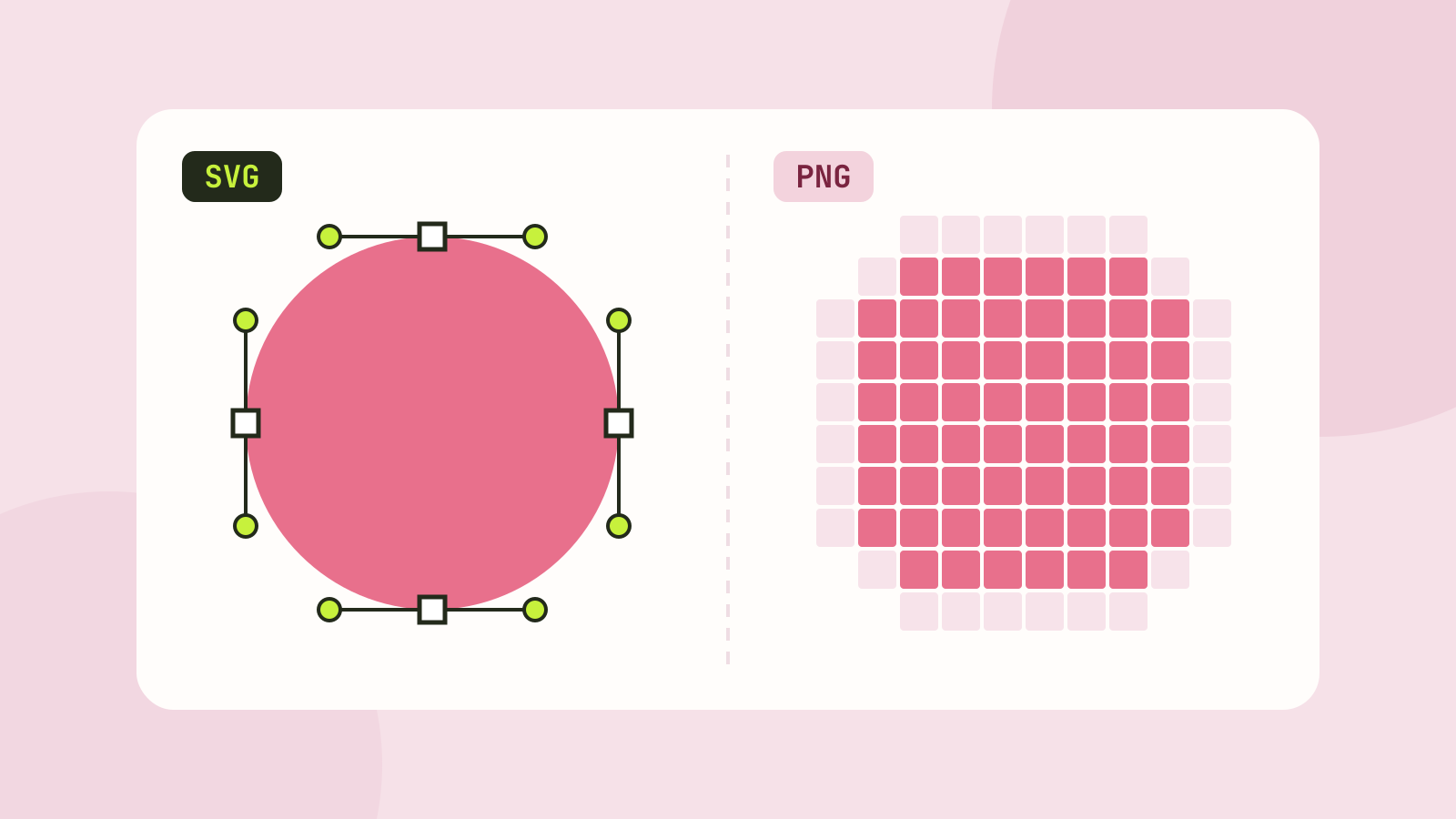
SVG vs PNG: which to use for logos, icons and illustrations
SVG stores shapes and PNG stores pixels, and that decides which one fits a job. We measured five SVGs of very different complexity against PNG copies at four sizes, and traced a logo, a seal and a photo back to SVG.